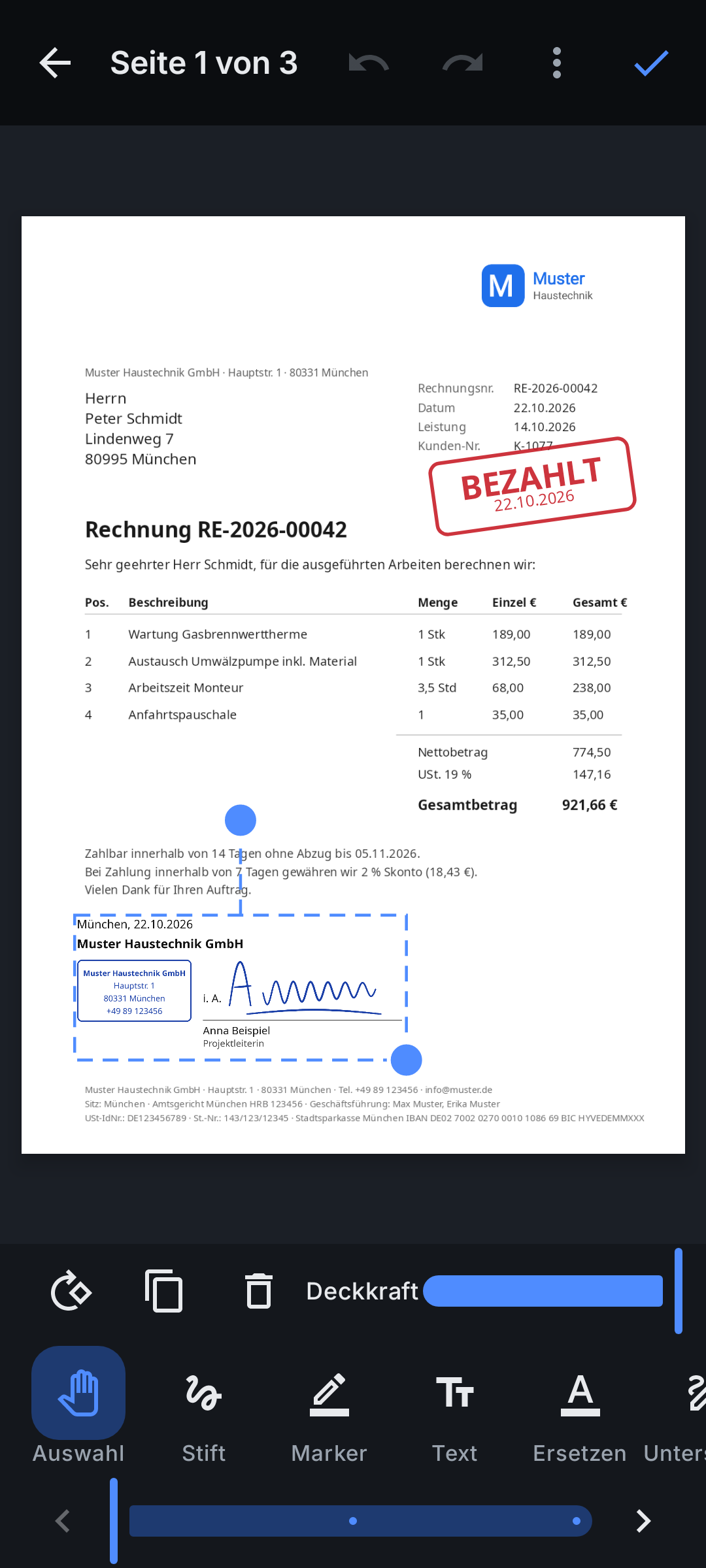
Company stamp block
One tap places the stamp, the signing authority, the approved signature, name, title, place and date - laid out the German way (DIN 5008).
UCA PDF Editor for companies
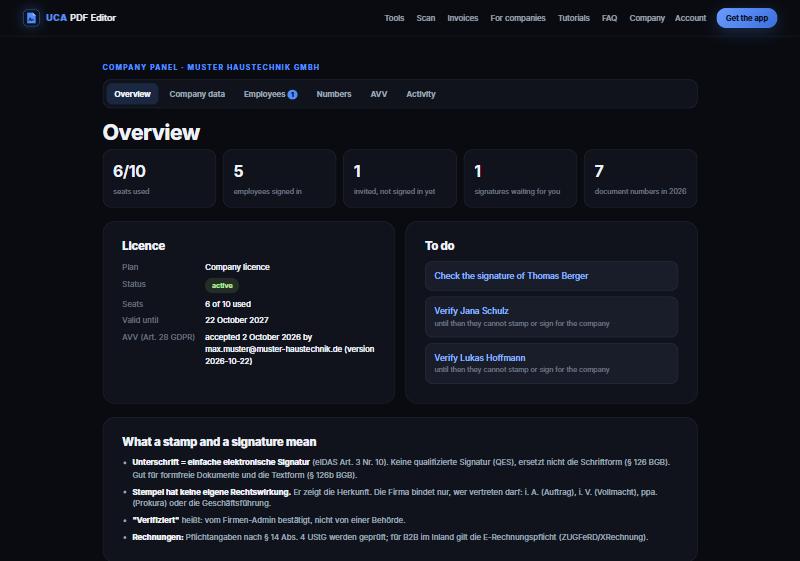
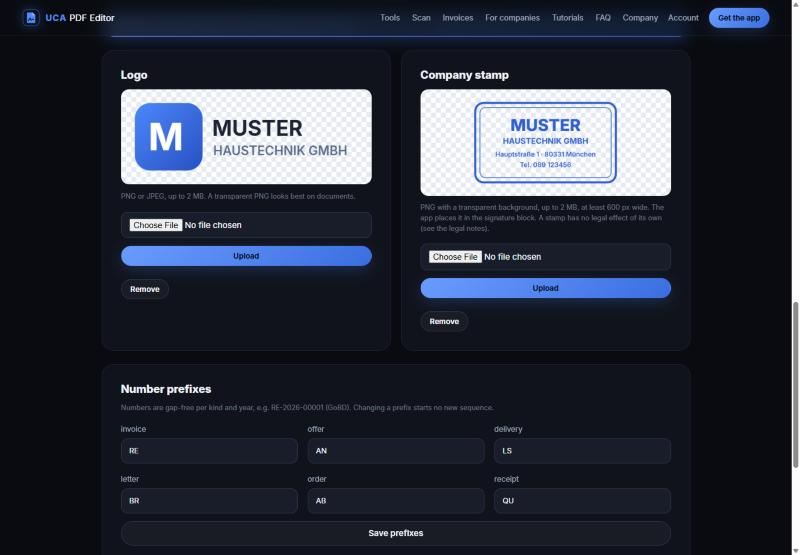
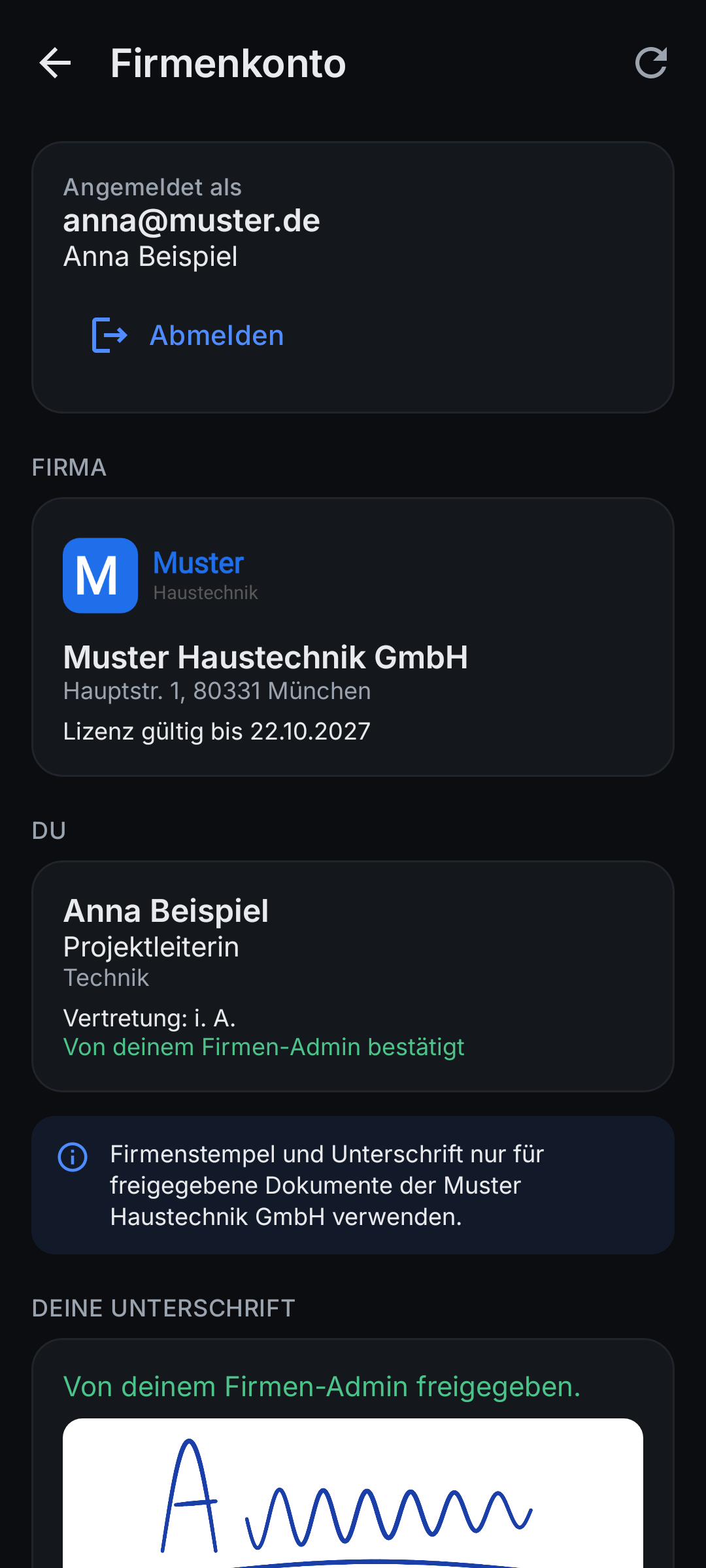
The company admin keeps the company data, logo and stamp in one panel. Employees sign in with their company email and stamp and sign documents with the verified company details - in seconds, on site, without printing.
One tap places the stamp, the signing authority, the approved signature, name, title, place and date - laid out the German way (DIN 5008).
Letterhead, footer with the mandatory data of § 37a HGB, bank details, gap-free company numbers (GoBD) and ZUGFeRD e-invoices.
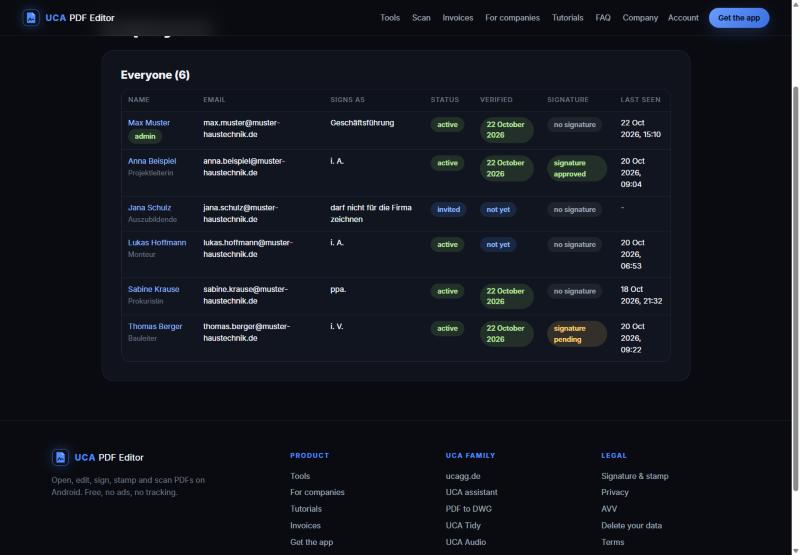
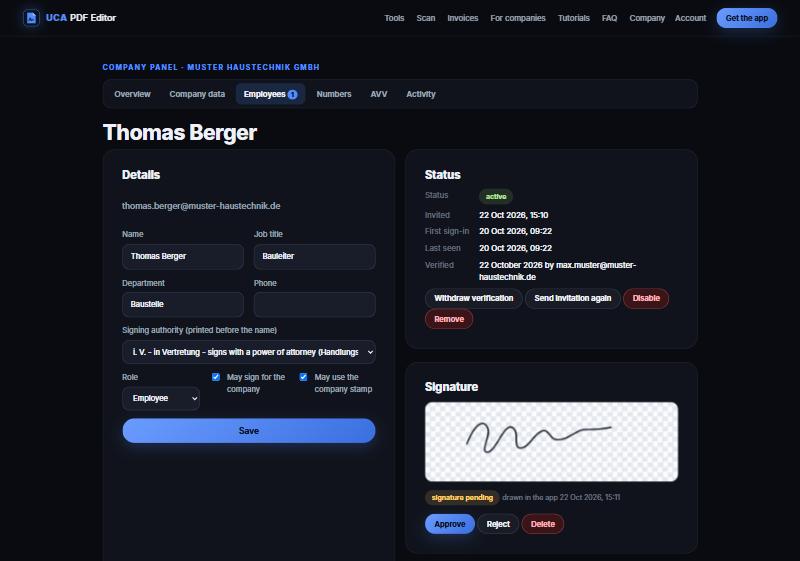
Invite, verify, set who may sign or stamp, approve signatures, disable or remove - with a full activity log.
Change the address, the logo or the stamp once: every app has it the next time it opens or comes online.
AVV in the panel, signatures stored encrypted, employees draw their own signature, documents never leave the phones.
Everyone also gets the full PDF Editor: annotate, edit, merge, split, scan, lock, share links.
How it works
Fill in the form below (or ask your UCA partner). We send you an offer: seats and period.
We create your company account. You, the company admin, get an email: sign in at pdf.ucagg.de/company with an emailed code. No password.
Accept the data processing agreement (AVV), check name, address, register and tax data, bank, upload your logo and stamp.
Add your employees, say how each may sign (i. A., i. V., ppa., managing director) and send the invitations.
Employees install the app, sign in with their company email, draw their signature once. You approve it and verify them - done.
The system
Honest about the law
Legal notes · AVV · Privacy
Pricing
A company account is priced per seat (employee) and period. Ask for an offer - or for a free trial for your team. Resellers and IT service providers can become partners and set up accounts for their customers.
The app itself stays free for everyone, without ads.
Request